
Narela Fleet Owners: Reading Fuel Drop Alerts Before Diesel Losses Add Up
A fuel drop alert records a measured fall in fuel level, the time it was detected, and the vehicle it belongs to. It fires when the level reported by the tank sensor falls further
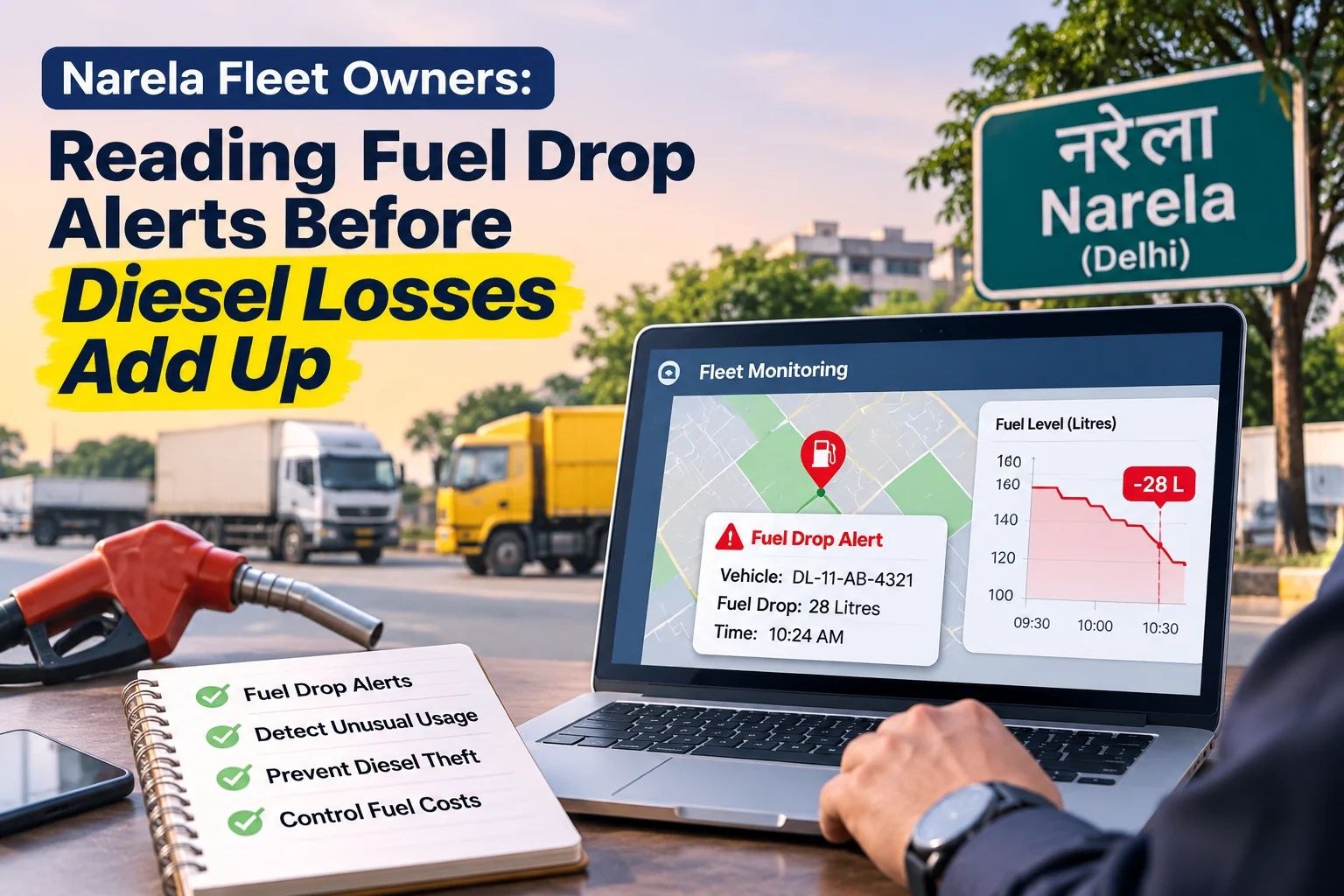
Narela Fleet Owners: Reading Fuel Drop Alerts Before Diesel Losses Add Up
A fuel drop alert records a measured fall in fuel level, the time it was detected, and the vehicle it belongs to. It fires when the level reported by the tank sensor falls further within a set comparison window than the configured threshold allows, after a short debounce period filters out brief spikes. In plain terms, it tells you something changed in the tank and hands you a timestamp to work from. For fleet owners in Narela running diesel vehicles on crowded border roads and long idling stretches, that timestamp is the useful part. The alert starts an investigation. It does not close one.
What a fuel drop alert records and when it fires
The alert is a comparison between two readings taken minutes apart, not a direct measurement of theft. The platform looks at the fuel level at the start of the comparison window and again after the debounce period, then flags the gap when it crosses the threshold you have set. Three settings shape when it fires: the threshold, which is how large a fall counts as worth reporting; the debounce window, which ignores very short dips so a bump in the road does not trigger a notification; and the comparison window, which controls how far apart the two readings are taken. Loosen any of these and you get fewer alerts but may miss smaller drops. Tighten them and you get more alerts, many of which will be noise. The vehicle marker, the time, and the recorded level change are what you carry into the next step. Start with the fuel performance monitoring view to see the shape of the fall before drawing any conclusion.
Why a drop is a signal to investigate, not proof of theft
Fuel level readings are an input, and inputs move for reasons that have nothing to do with siphoning. A tank on a slope, a refill taken while the ignition is still on, or a loose connection on the sensor ground can all produce a fall that looks similar on a graph. That is why the alert should be read as a question about sequence rather than a conclusion about a driver. The discipline is pattern-based. Ask whether the same vehicle drops in the same place repeatedly, whether drops line up with a geofence exit, and whether the fall sits beside a stop with no matching trip record. A single alert on a rough route carries little weight on its own. This is where geofence alerts and ignition status do most of the work, because together they tell you whether the vehicle was moving, parked, or being refuelled when the level changed.
Checking a drop against trip, ignition and geofence data
Work through these steps in order for every flagged event, and write down what each one shows before you move to the next.
Open the trip history for the flagged time and confirm whether the vehicle was moving or stationary when the level fell.
Check ignition status across the same minutes. A drop with the ignition off points somewhere very different from a drop recorded mid-journey.
Review geofence activity around the event. An exit or entry that lines up with the drop changes how you read the refuelling question.
Compare the recorded level change with what the distance travelled and idling time would reasonably explain.
Pull the same vehicle's earlier flags for the month and look for a repeating place or hour.
Only after these checks decide whether the event needs a supervisor conversation, a sensor inspection, or no action at all.
When two sources disagree on the same event, such as a drop with no ignition change and no geofence movement, the question has moved from driver behaviour to device health. At that point a platform like fleet management software that keeps fuel, trip and geofence records on one timeline saves the back-and-forth of stitching exports together by hand. It also gives you a record you can hand to an insurer or auditor later without rebuilding the sequence from memory.
What fuel level data cannot tell you
Every fuel monitoring setup has a boundary, and knowing it prevents both false accusations and missed losses. The sensor reading is affected by vehicle attitude, so a tank measured on a ramp or a tilted shoulder can report a level that does not match the true volume. Rapid refuelling can also disturb the reading before it settles. If the tracking device loses network coverage in a yard or under a bridge, readings arrive late and out of order, and the platform may compare two distant points, making the fall look larger than it was. That latency is a workflow issue, not a sensor fault. Fuel level data also cannot tell you who was near the tank, what the driver intended, or where the missing diesel went. It can tell you when the level changed and by how much. Keep that distinction clear and your conversations with drivers stay about sequences and records rather than suspicion.
Deciding whether to tune, reconfigure, or redesign
The decision boundary is easy to state. If alerts come often but confirmed losses stay small, raise the threshold and lengthen the debounce window until normal road vibration stops setting them off. If alerts are accurate but arrive too late to act on, adjust the reporting interval and confirm the device's network path, because that is usually a connectivity or polling problem rather than a hardware one. If the fuel reading cannot be trusted at any setting, replace the sensor or move to a direct tank-measurement approach, since no amount of tuning fixes a measurement that drifts. The point where internal fixes stop working is when one vehicle keeps producing contradictory records across sources. Before you commit to a redesign, verify what the provider actually supports for sensor telemetry and alerting, and confirm how far back your reports can be exported. Then build your own checklist with the threshold, debounce window and comparison window written down, so the next alert you read in Narela is a decision rather than a surprise.
Ready to Put This Into Practice for Your Fleet?
GPS Controller supplies commercial 4G GPS trackers, fuel sensors, AI dashcams, cloud tracking software (Web, Android & iOS), and turnkey white-label reseller platforms.
Telematics & fleet technology team at GPS Controller (Sector 62, Noida, India), publishing technical guides on commercial GPS hardware, fuel monitoring, cloud fleet software, and white-label GPS platforms.
Related Telematics Guides
GPS Signal Delay Causing Fleet Tracking Failure
GPS Signal Delay Causing Fleet Tracking Failure GPS signal delay in dense urban areas and under heavy canopy cover causes fleet tracking failure by producing stale location data that does not reflect actual vehicle positions. For connected...
GPS Controller IDC AI spend 1.3 trillion 2029 fleet management core segment 2026
GPS Controller IDC AI spend 1.3 trillion 2029 fleet management core segment 2026 Fleet management in 2026 is the core segment staring down real consequences from the projected $1.3 trillion global AI spend by 2029. GPS signal delay—from inc...
GPS Controller free trial no contract setup in 10 minutes India 2026
GPS Controller free trial no contract setup in 10 minutes India 2026 Fleet managers across India are turning to the GPS Controller free trial no contract setup in 10 minutes India 2026 offer to resolve last-mile connectivity gaps without lo...
GPS Controller Real Time Ignition Engine Hours Total Movement Dashboard 2026
GPS Controller Real Time Ignition Engine Hours Total Movement Dashboard 2026 Operators relying on a GPS Controller real time dashboard for ignition engine hours compared to total movement data in 2026 are encountering persistent tracking fa...