
Rohini Fleet Operators: Ignition On/Off Alerts Versus Unauthorized Movement Alerts
Rohini fleet operators often treat ignition on/off alerts and unauthorized movement alerts as the same warning, and that is where after-hours reviews go wrong. Ignition alerts repo
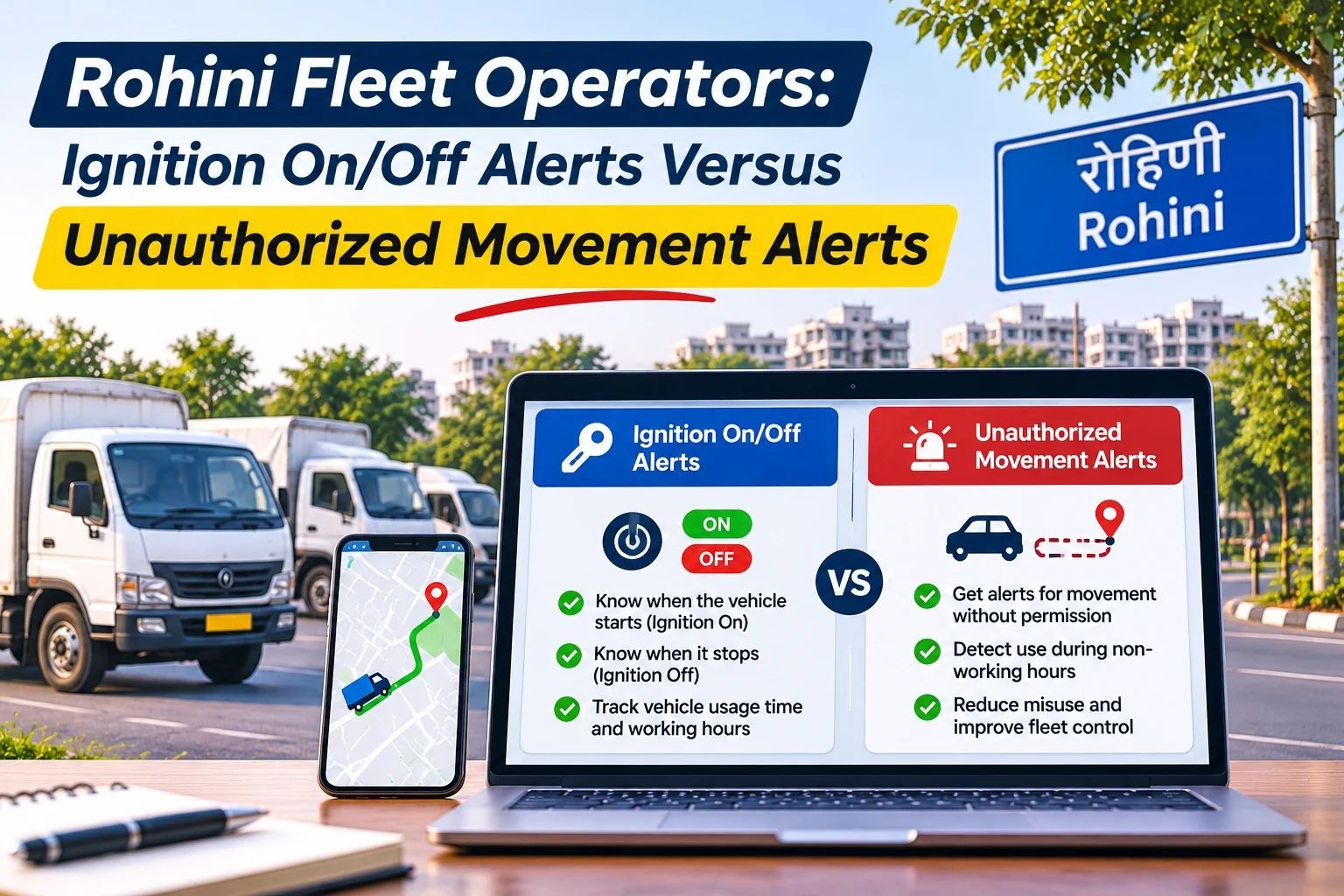
Rohini Fleet Operators: Ignition On/Off Alerts Versus Unauthorized Movement Alerts courier
Rohini fleet operators often treat ignition on/off alerts and unauthorized movement alerts as the same warning, and that is where after-hours reviews go wrong. Ignition alerts report an engine state change. Unauthorized movement alerts report motion outside expected use. They answer two different questions about a vehicle, and they work best when you read them together.
Ignition on/off: engine state signals
An ignition alert tells you when the ignition is switched on or off. It describes engine state, not distance covered. Engines can run without the vehicle moving, and a vehicle can be moved without the engine running, so an ignition event alone will not tell you whether the vehicle went anywhere.
What it indicates about vehicle use: someone has turned the key or switched the vehicle on or off. That may mean a planned trip is starting, a driver is warming up, or a vehicle is being handled by yard staff.
Review action: treat an ignition-on event as a sign that activity has begun, then check movement and trip data before you draw conclusions about the vehicle's actual use.
Unauthorized movement: motion outside expected use
An unauthorized movement alert tells you the vehicle has moved at a time or in a way that falls outside what you expect. It describes motion, not engine state. A vehicle that is pushed, towed or shifted can register movement without any ignition event, and a vehicle moved for a legitimate reason inside a loosely drawn boundary can still look unusual.
What it indicates about vehicle use: the reported position has changed. It does not by itself tell you who moved the vehicle or why.
Review action: match the movement against your schedule, your yard activity and the time it was reported. Use realtime vehicle tracking to confirm where the vehicle is now and whether the position keeps changing.
Where the two overlap and where they differ
The overlap sits in the after-hours picture. If ignition turns on and the vehicle moves off, both signals point the same way: someone is using the vehicle. If ignition stays off and movement appears, the two signals disagree, and that gap is exactly where a review should begin.
The difference is what each one can prove. Ignition state shows engine activity. Movement shows a change in position. Neither one, on its own, confirms that a vehicle was driven by an unauthorized person.
Ignition on, no movement: likely idling or preparation. Route it to fuel and idling review rather than the security list.
Movement with ignition off: check device power, yard activity and whether staff relocated the vehicle before escalating.
Ignition on followed by movement: both signals agree, so compare the time against your permitted hours.
Ignition on and off with no movement in between: engine use without a trip, which belongs in fuel or driver review.
Event context helps here. Alerts defined around fixed areas, such as those configured through geofencing alerts, help you see whether a movement happened inside the depot, at a customer site or on the open road.
A simple after-hours review routine
Build the routine so a dispatcher can finish it without phoning the driver. Work through the four checks below in order, and write down each answer before you decide the next step.
Check device power. Confirm whether the unit was running on its main supply or a backup source. A device that lost power can look like it moved or went quiet when it did neither.
Check yard activity. Ask whether staff, security or a supervisor moved the vehicle or started it on purpose. One confirmed relocation explains a single event, but a repeated pattern needs a closer look.
Check timestamps in one export. Put ignition events and movement events on a single timeline so you can see which came first and how far apart they landed. Two separate reports are easy to read out of order.
Decide the action. Send engine-only events to fuel or idling review. Send movement without ignition to a security check after the first two steps. Send events where both agree to a schedule review, and only then think about changing thresholds or hardware.
Keep the routine short enough to run on every event. Wide fleets in Rohini or anywhere else tend to stop reviewing when the list gets long, so it is better to catch a few events well than to skim many. Firms comparing this work across mixed fleets can also look at realtime monitoring to see how event alerts and live status are read side by side.
Practical checks before you change anything
Start with one rule. If your team cannot say in one sentence what counts as unauthorized movement, set that definition first and keep the alert set small until it holds.
Separate the two lists. Engine-only events and movement events need different owners. Mixing them is the reason after-hours reviews stall.
Use evidence, not instinct. Before you call a movement a problem, confirm device power, yard activity and time order. Three checks are enough for most single events.
Compare vendors on workflow. Ask any provider, including one with a managed-review setup, to show how ignition events and movement events appear in one place and how they are routed. The answer matters more than the feature list.
Review the routine monthly. If dispatchers still need to phone the driver to confirm whether the engine was running, the routine is not finished. Adjust the checks, not just the alert settings.
Ready to Put This Into Practice for Your Fleet?
GPS Controller supplies commercial 4G GPS trackers, fuel sensors, AI dashcams, cloud tracking software (Web, Android & iOS), and turnkey white-label reseller platforms.
Telematics & fleet technology team at GPS Controller (Sector 62, Noida, India), publishing technical guides on commercial GPS hardware, fuel monitoring, cloud fleet software, and white-label GPS platforms.
Related Telematics Guides
GPS Signal Delay Causing Fleet Tracking Failure
GPS Signal Delay Causing Fleet Tracking Failure GPS signal delay in dense urban areas and under heavy canopy cover causes fleet tracking failure by producing stale location data that does not reflect actual vehicle positions. For connected...
GPS Controller IDC AI spend 1.3 trillion 2029 fleet management core segment 2026
GPS Controller IDC AI spend 1.3 trillion 2029 fleet management core segment 2026 Fleet management in 2026 is the core segment staring down real consequences from the projected $1.3 trillion global AI spend by 2029. GPS signal delay—from inc...
GPS Controller free trial no contract setup in 10 minutes India 2026
GPS Controller free trial no contract setup in 10 minutes India 2026 Fleet managers across India are turning to the GPS Controller free trial no contract setup in 10 minutes India 2026 offer to resolve last-mile connectivity gaps without lo...
GPS Controller Real Time Ignition Engine Hours Total Movement Dashboard 2026
GPS Controller Real Time Ignition Engine Hours Total Movement Dashboard 2026 Operators relying on a GPS Controller real time dashboard for ignition engine hours compared to total movement data in 2026 are encountering persistent tracking fa...